
How to enable Pearl integration with Dental Desktop
07/11/2023See here for directions regarding Unite instead.
Prerequisites for the integration:
- Dental Desktop 1.7.19.x or higher.
- Pearl version 4.20.4.0 or higher.
- Pearl and Dental Desktop must be installed on the same computer.
- Both standalone and client-server setups are supported.
3Shape TRIOS on Dental Desktop and Pearl integration provides automation of Patient Management in Dental Desktop from Pearl (Create, merge, and update patient). Read more about Pearl here.
How to enable the integration in Dental Desktop
- In 3Shape Dental Desktop, go to More > Settings > Practice Management Integration > Setup and click the "Enable" checkbox in the "Command Line Interface" section to enable the integration.

- Enter valid credentials in the menu; use the same username and password as used for Dental Desktop. Test connection should be successful.
- You have now enabled the interface used for the integration in 3Shape Dental Desktop.
How to enable the integration in Pearl
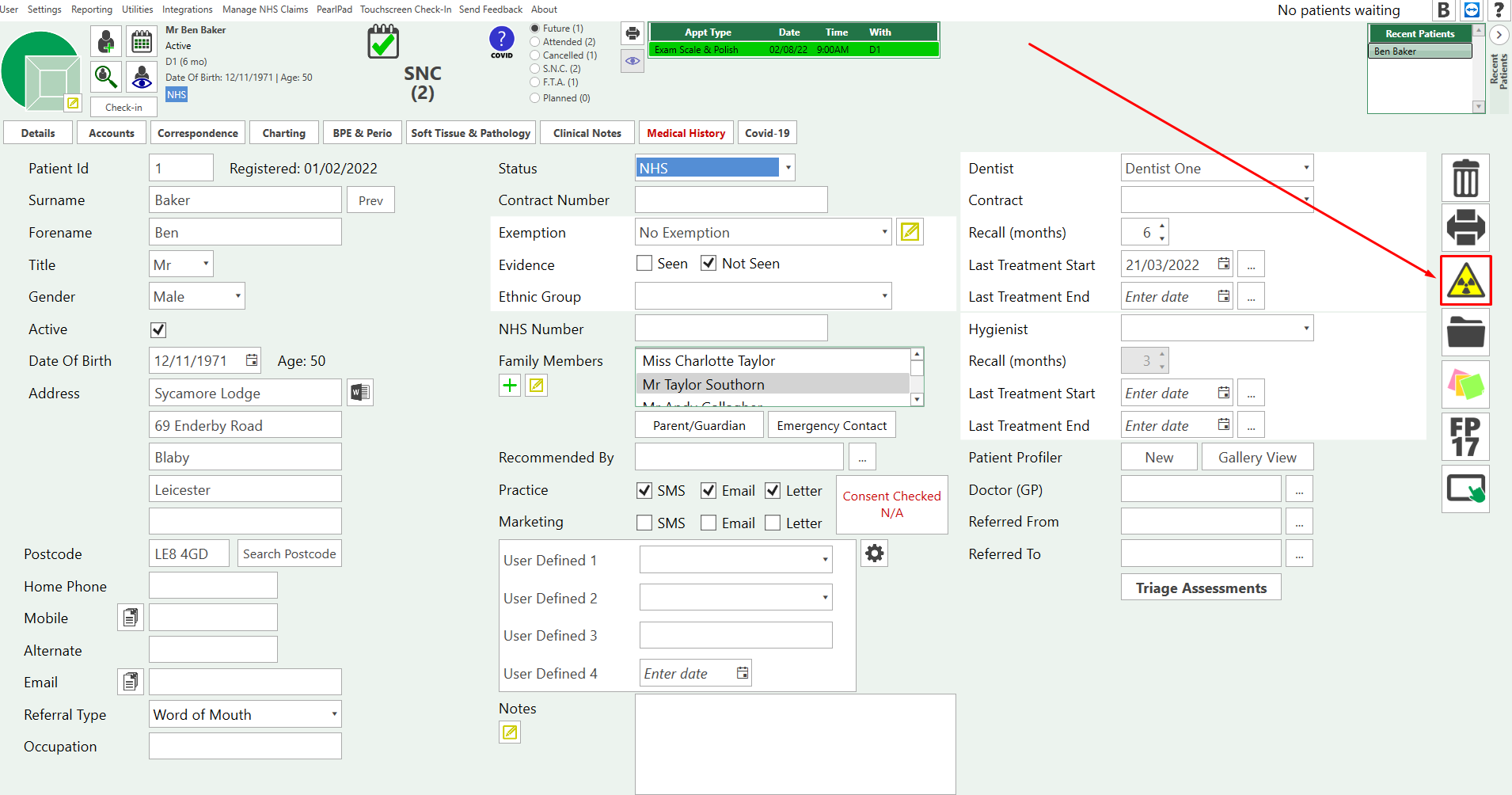
Pearl software does not require any specific actions to enable the integration. After a new patient is created, you can locate the integration button on the right-hand side.
Known limitations
- Pearl and Dental Desktop must be installed on the same computer.
- Both standalone and client-server setups are supported (from Dental Desktop version 1.7.19.1), but the integration currently does not support Dental Desktop server-client installation on TRIOS MOVE/MOVE+, as installing PMS client on TRIOS MOVE/MOVE+ is not supported.
- Patient updates are only available from Pearl to Dental Desktop, not the other way around.
______________________________________________________________________________________________________________________________________________________________________________________________
Contact 3Shape Support if you have further questions.
For full information on correct usage please consult the official Safety and Setup Guide and the most current Manual