
How to calibrate a TRIOS 3 scanner
07/11/2023If you have a TRIOS 4 scanner, see this article. If you are not sure what type of scanner you have, see here.
Calibrating your scanner ensures accurate scans with correct colors and proper display. To maintain high quality scans your scanner should be calibrated regularly, including after heavy use, moved, shaken, or sustained a wide range of temperature changes. You can watch a video tutorial on Community (log in with your 3Shape account).
Calibration Components
There are 4 necessary components for calibration:
- Calibration target
- Calibration adapter
- Calibration object
- TRIOS 3 scanning tip
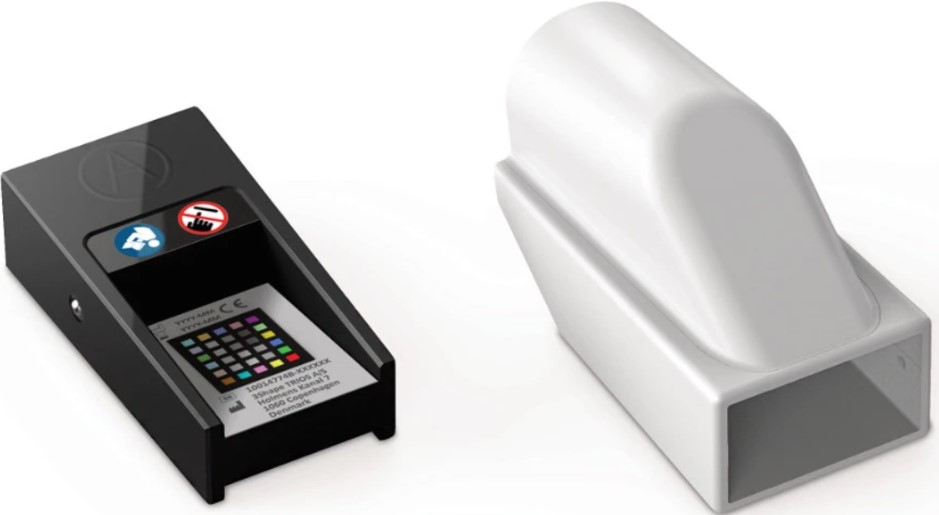
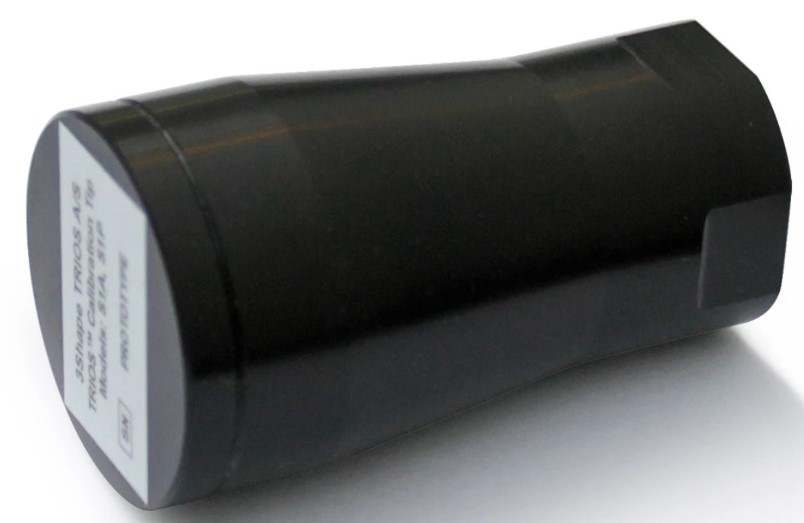
From left to right: calibration target, calibration adapter, and calibration object
Calibration Process: 3D and Color Calibration
TRIOS 3 scanner calibration consists of 2 parts:
- 3D calibration of the scanner guarantees the scanner's high accuracy and ensures that your scanned image will display correctly on screen and in print.
- Color calibration of the scanner guarantees the scans will reflect an accurate representation of the colors that will be printed on the model.
Step 1: The calibration process can be initiated from 3 places:
- From the reminder message in the software. If color and 3D calibration are not done for 7 days, TRIOS software will remind you about it automatically.

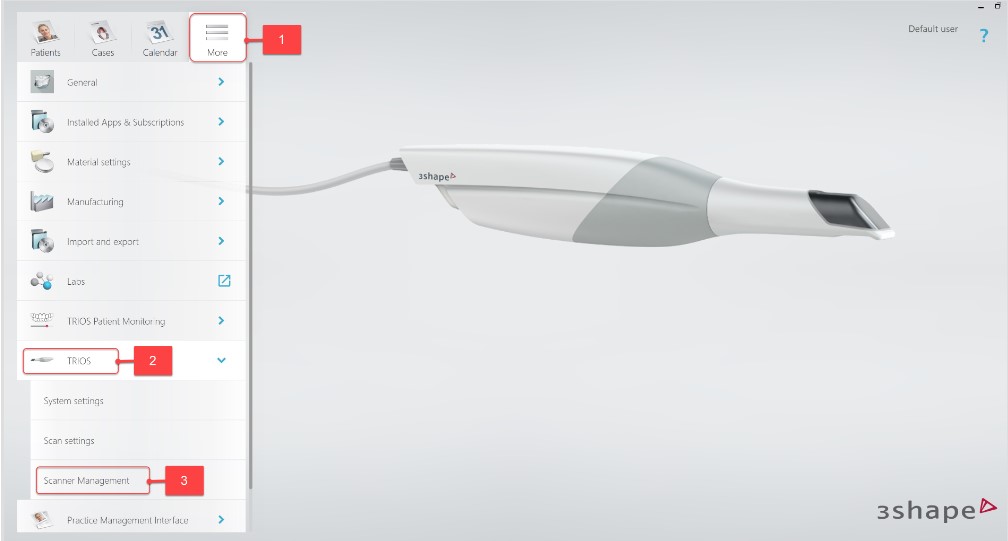
- From the Scanner Management page which can be found under the More tab, and then the Settings option in the drop down menu. From there you select TRIOS, and then Scanner Management, and finally Calibrate.
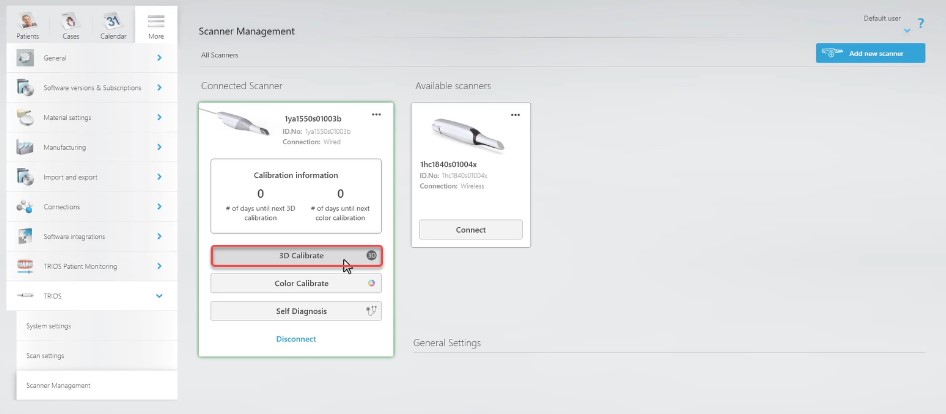
- From the scanning page by clicking on Tools and then Color Calibration.

Step 2: 3D calibration should be done first and requires the 3D Calibration object (the black component). Remove the scanning tip and mount the 3D calibration object onto the front tube. Make sure that the front glass of the scanner is clean and has no scratches. The whole process will take up to 1 minute. Once the 3D calibration is finished, remove the 3D calibration object from the scanner.
Step 3: For Color calibration, you will need the color calibration adapter and the calibration target that is inserted into the Adapter. Before the calibration, make sure that the target is clean and free of scratches on both sides, that the color squares on the color side are not missing or faded, and that the mirror of the scanning tip is clean and sterilized without water stains of scratches.
Step 4: Attach the scanning tip to the scanner facing downwards and mount the Color Calibration Adapter onto the scanner tip.
Step 5: Remove the protective plastic sleeve from the Color Calibration Target. Then, insert it into the Adapter with the color side (side A) facing up and press Calibrate.

Step 6: After calibration on side A has finished (approximately 10-15 seconds), remove the Color Calibration Target and turn it over so that the grey side (side B) faces up. Insert the Target into the Color Calibration Adapter and press Calibrate.
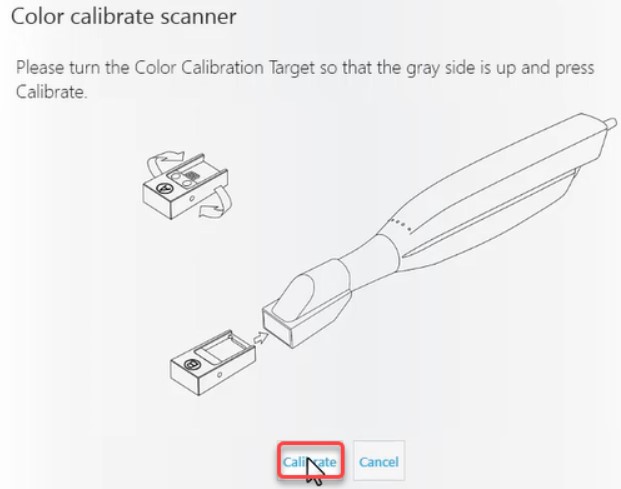
Step 7: Once the calibration is completed (after approximately 10-15 seconds), remove the Color Calibration Target and Adapter from the scanner and put the Target back into the protective sleeve.

Contact 3Shape Support if you have further questions.
For full information on correct usage, please consult the official Safety and Setup Guide and the most current Manual.